Guides
Catalog & Supplies

Register Supplies in Master Catalog

Add materials, labor, equipment, and subcontracts to the organizational supply catalog.

organization 3 steps~5 min

Create supply

[data-tour-id="catalog.resources.create-button"]

Click on "New supply" in the resource catalog.
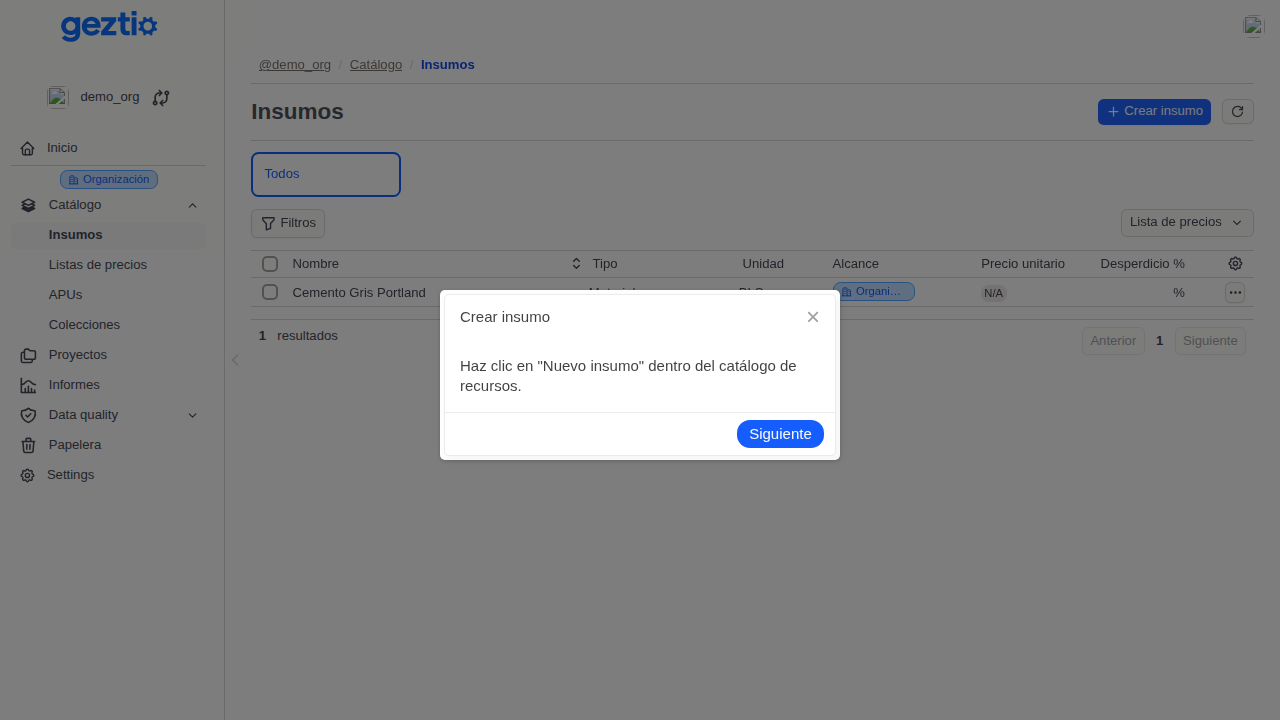
Geztio: Step 1 of 3: Create supply - Register Supplies in Master Catalog. Click on "New supply" in the resource catalog.

Classify resource type

[data-tour-id="catalog.resources.type-select"]

Select whether the supply represents Material, Labor, Equipment or Transportation.

Domain Concept

The type determines how the supply is grouped in cost analyses and bill-of-materials reports.
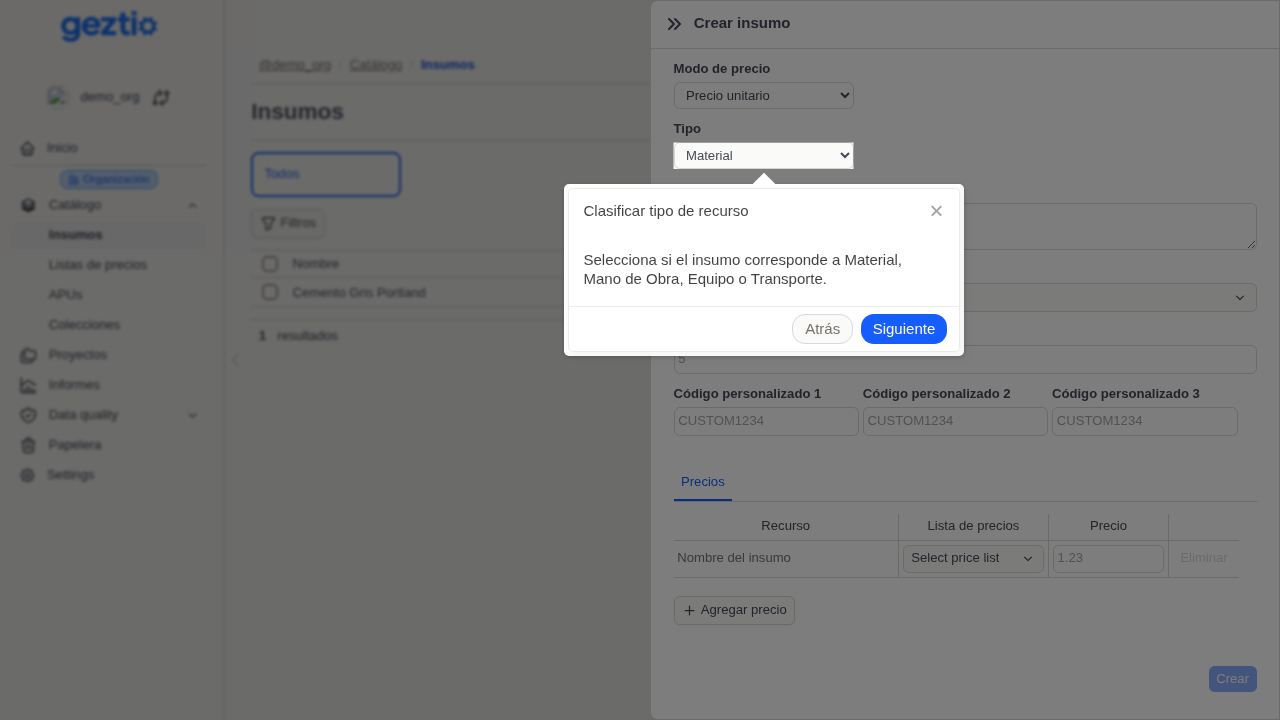
Geztio: Step 2 of 3: Classify resource type - Register Supplies in Master Catalog. Select whether the supply represents Material, Labor, Equipment or Transportation.

Specify description and unit

[data-tour-id="catalog.resources.form"]

Enter standard description and select the official unit of measure (m2, m3, kg, gal, hr, etc.).
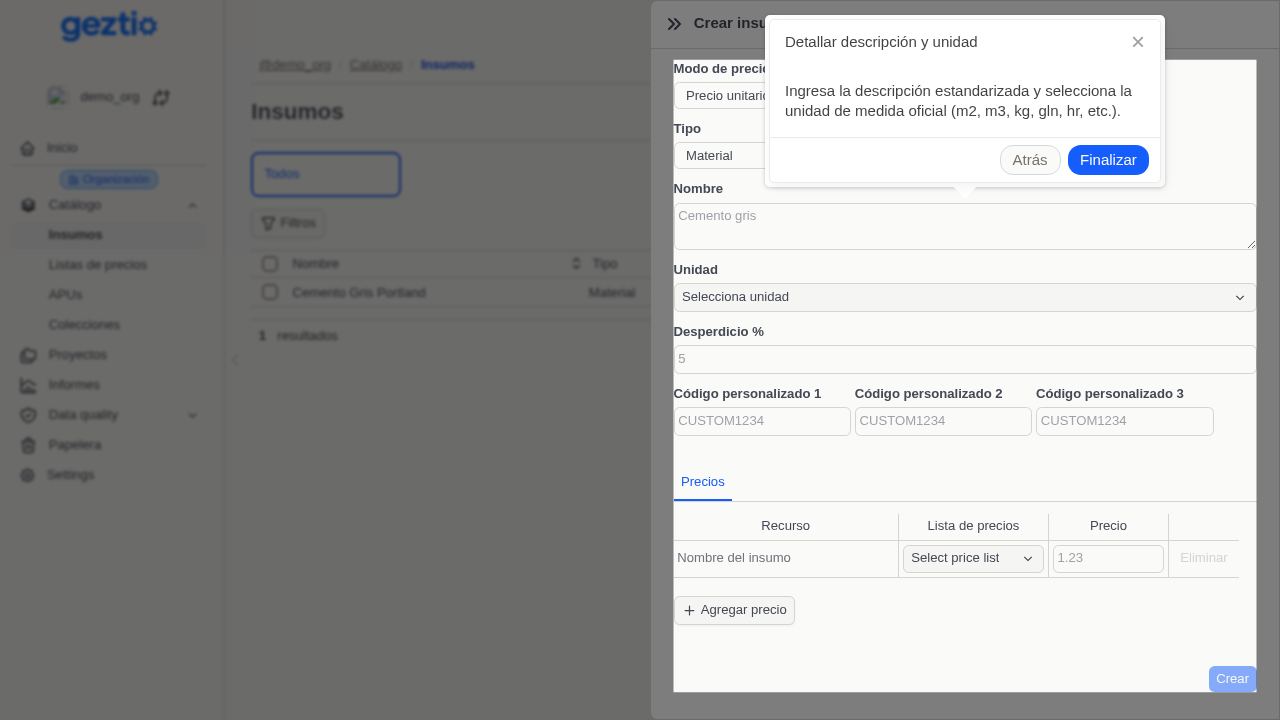
Geztio: Step 3 of 3: Specify description and unit - Register Supplies in Master Catalog. Enter standard description and select the official unit of measure (m2, m3, kg, gal, hr, etc.).

Was this guide helpful?

Help us improve our documentation with your feedback.